Overview
In today’s digital world, screenshots and screen recordings are part of everyday work. Whether you’re creating tutorials, sharing reports, or posting content online, protecting sensitive information is critical. That’s where Blurweb App comes in.
Available on AppSumo as a lifetime deal, Blurweb App is a simple yet powerful browser-based tool that lets you blur sensitive data instantly while taking screenshots or recording your screen.
It’s especially useful for freelancers, marketers, educators, developers, and remote teams who frequently share visual content online.
Key Features of Blurweb App
🔒 One-Click Blur Sensitive Information
Blur text, images, numbers, emails, passwords, or private data with just one click.
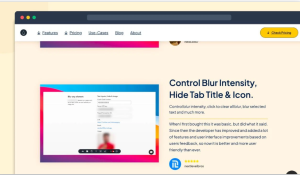
🎥 Blur During Screen Recording
Blur elements live while recording your screen—no post-editing needed.
📸 Secure Screenshot Captures
Capture clean, privacy-safe screenshots directly from your browser.
⚡ Real-Time Blurring
Apply blur instantly on any webpage without refreshing or switching tools.

🌐 Works on Most Websites
Compatible with dashboards, SaaS tools, admin panels, and web apps.
🧩 Lightweight Browser Extension
Runs smoothly without slowing down your browser.
Plans & features
Deal terms & conditions
- Lifetime access to the Blurweb App
- You must redeem your code within 60 days of purchase
- All plan updates
- Stack up to 3 codes
 60-day money-back guarantee. Try it out for two months to ensure it’s right for you!
Features included in all plans
- Includes Google Meet & Zoom support
- Includes Chrome extension & Firefox add-on
- Keep Blur — blur stays even if you reload
- Single click to blur image, paragraph, or input field
- Devices/browsers access included
Use Cases of Blurweb App
🧑💻 Freelancers & Agencies
Freelancers often share screenshots of dashboards, invoices, or client projects. Blurweb App helps blur sensitive client data before sharing, ensuring privacy and professionalism.
🎥 YouTubers & Content Creators
When recording tutorials or walkthrough videos, creators can blur emails, API keys, account details, or private messages in real time—without editing later.
📊 Marketers & Analysts
Marketers regularly showcase analytics, ad dashboards, and reports. Blurweb App allows them to hide confidential numbers while still presenting useful insights.
👩🏫 Educators & Trainers
Teachers and trainers can safely record lessons, LMS dashboards, or student portals by blurring personal or restricted information.
🏢 Remote Teams & Startups
Remote teams often share internal tools during meetings or documentation. Blurweb App ensures private data stays hidden when sharing screens or screenshots.
🧪 SaaS Product Demos
Startup founders and product teams can demo their software without exposing user data, test accounts, or internal settings.
🛡️ Privacy-Focused Users
Anyone who values online privacy can use the Blurweb App to protect personal information while browsing, capturing, or sharing content online.
🧑⚖️ Consultants & Legal Professionals
Consultants and legal professionals can safely share case-related visuals while keeping sensitive names and details hidden.
Pros
✅ Pros
- Extremely easy to use
- Saves time on post-editing
- Ideal for tutorials, demos, and client work
- Enhances privacy & data security
- One-time purchase on AppSumo (no monthly fees)
❌ Cons
- Limited to browser-based content
- Not a full image editing tool
- Advanced blur customization is basic
Use Cases for Blurweb App
- Content creators sharing tutorials on YouTube
- Marketers showcasing analytics dashboards
- Freelancers & agencies protecting client data
- Educators creating safe training materials
- Remote teams sharing internal tools securely
Conclusion
If you regularly take screenshots, record your screen, or create online tutorials, the Blurweb App is a small tool that makes a big difference. It helps you protect sensitive information instantly, without slowing down your workflow or adding extra editing steps.
What makes Blurweb App especially attractive is the AppSumo lifetime deal. Instead of paying monthly for privacy or editing software, you get long-term value with a one-time purchase. It’s simple to use, beginner-friendly, and practical for freelancers, content creators, marketers, educators, and remote teams alike.
If privacy, professionalism, and time-saving tools matter to you, the Blurweb App is definitely worth checking out on AppSumo. It’s an affordable investment that can easily become part of your daily workflow.
(FAQs)
What is the Blurweb App?
Blurweb App is a browser extension designed to blur or hide sensitive information on any webpage in real time. Instead of editing screenshots later using complex tools, Blurweb allows you to blur content before you capture or record, saving time and reducing mistakes.
❓ What is the Blurweb App used for?
Blurweb App is used to blur sensitive information on web pages while taking screenshots or recording screens. It helps protect private data like emails, passwords, numbers, and personal details.
❓ Is Blurweb App available as a lifetime deal on AppSumo?
Yes, Blurweb App is available on AppSumo as a lifetime deal, meaning you pay once and get access without monthly or yearly subscription fees.
❓ Does Blurweb App work during screen recording?
Yes, Blurweb App allows you to blur elements in real time while recording your screen, eliminating the need for post-editing.
❓ Can I use the Blurweb App on any website?
Blurweb App works on most websites, including SaaS dashboards, admin panels, analytics tools, and web applications accessed through your browser.
❓ Is Blurweb App beginner-friendly?
Absolutely. Blurweb App is designed for ease of use. Even beginners can blur content with just a few clicks—no technical skills required.
❓ Does Blurweb App replace image editing software?
No, Blurweb App is not a full image editor. It focuses specifically on blurring sensitive content before capturing or recording screens.
❓ Who should use the Blurweb App?
Blurweb App is ideal for content creators, freelancers, marketers, educators, consultants, remote teams, and anyone who shares screenshots or screen recordings online.
❓ Is Blurweb App safe and privacy-focused?
Yes, Blurweb App is built with privacy in mind. It helps prevent accidental data exposure when sharing visuals publicly or with clients.
❓Why Blurweb App Worth It on AppSumo?
The AppSumo lifetime deal makes the Blurweb App especially attractive. Instead of paying monthly for editing or privacy tools, you get lifetime access with a one-time purchase. For anyone who frequently shares screen content, this tool quickly pays for itself.
❓Is the Blurweb App worth buying?
Definitely, the Blurweb App doesn’t play around with features. What you see is what you get, and it just works. If you’re always taking screenshots, recording your screen, or conducting live demos, this tool protects your personal information while ensuring you always look professional. For people like me, an AppSumo user, this is a no-brainer.